
The Abstracts feature is an engagement tool used to submit and present an attendees’ research abstract to other event participants. It serves as a convenient tool for administrators and organizers to review, approve, decline, and provide feedback on attendees’ abstract submissions. Moreover, it also allows other attendees to interact with all the approved contents.
HOW TO USE ABSTRACT
Before anything else, make sure Abstracts is enabled for your console. Under Pages in General Settings, enable Abstracts for web, mobile or both.
Once enabled, attendees will be able to view the Abstracts page and submit their work.
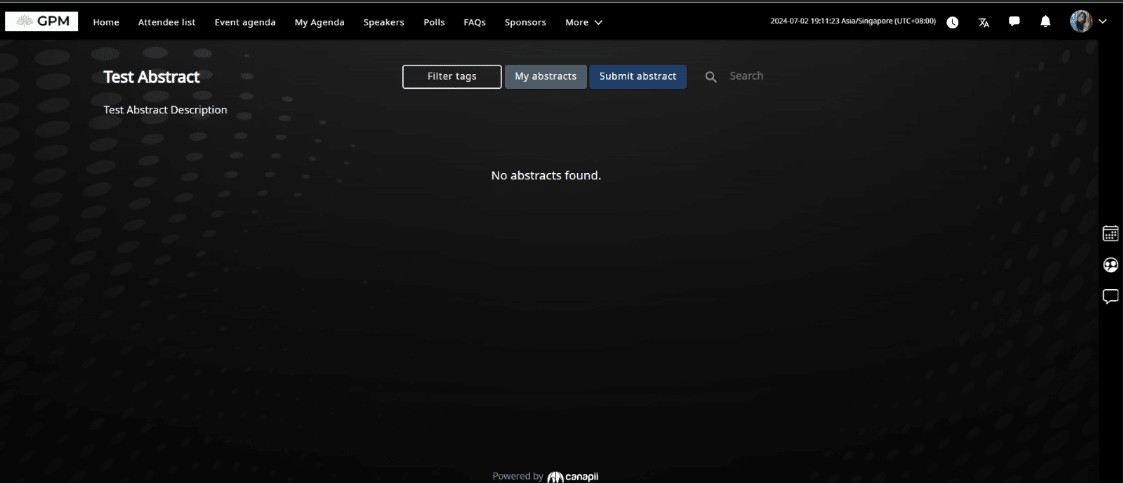
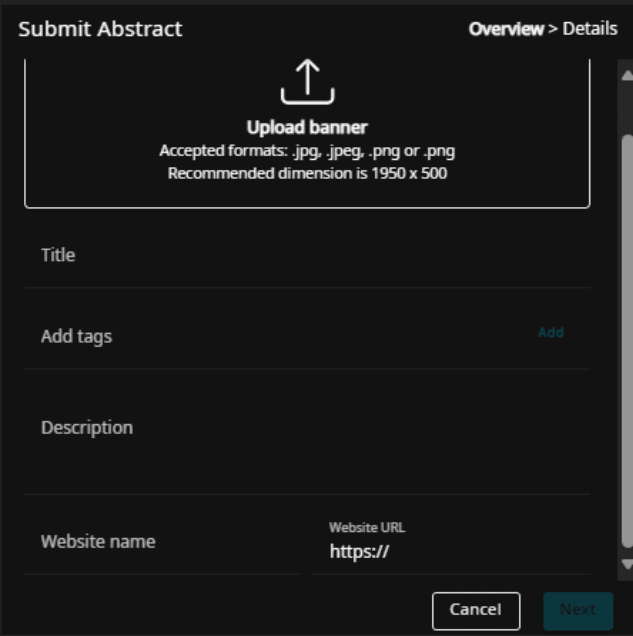
From this page, attendees may submit their abstract by clicking the Submit Abstract button. A new prompt will show up where they can upload a banner with the recommended dimension of 1950×500.
Users also need to input the title, add necessary tags or important keywords related to their abstract, as well as description, and website name and URL if applicable.
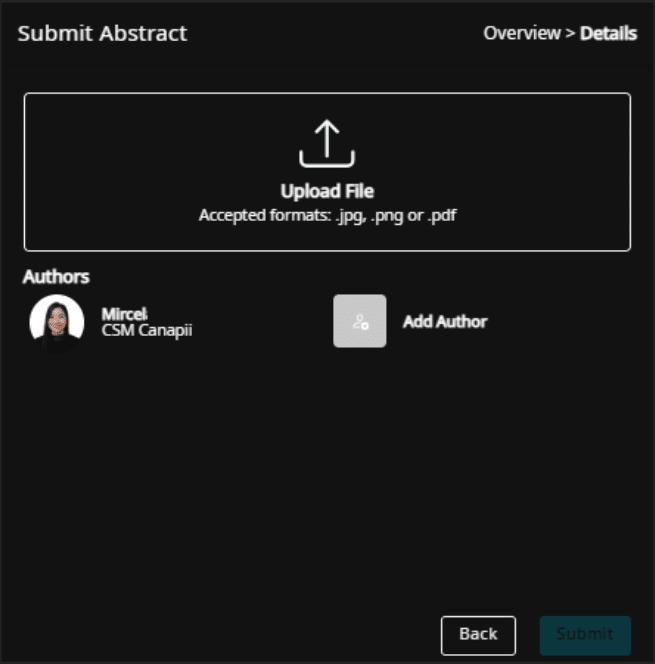
Once the user/attendee clicks on Next, a new prompt will appear where they can upload the abstract document and add authors if necessary.
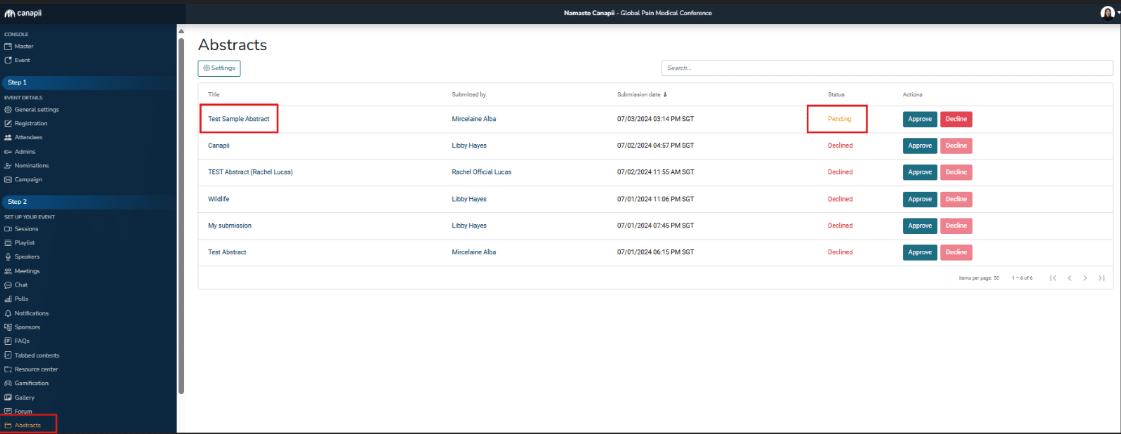
Once submitted, admins will be able to view it on the admin console where they can choose to approve or decline the abstract submission.
Regardless if the admin approves or declines the abstract, they can input feedback or comment on the abstract which can be viewed on the specific abstract page. Admin may also change the abstract ID and add or remove necessary tags.
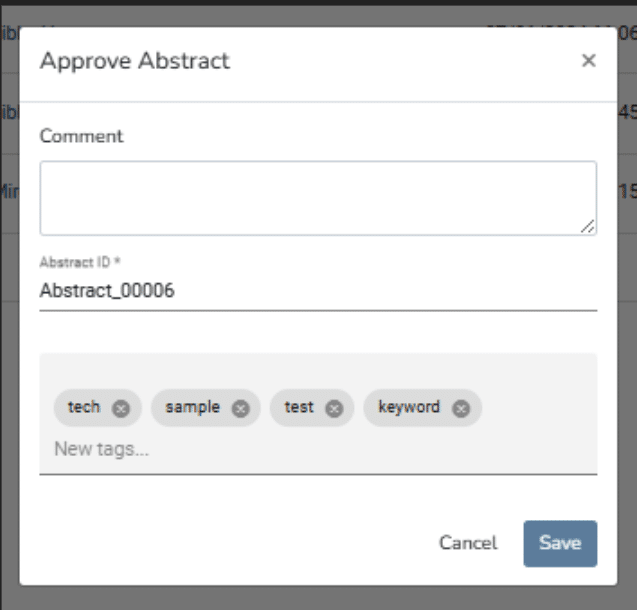
Admin can also decline a previously approved abstract on the admin console, as shown below:

Admins may also change the abstract page settings by clicking on the ‘Settings’ button in the backend console. Once inside the settings page, admins may change the heading, description and sorting type that will be applied on the abstract page.
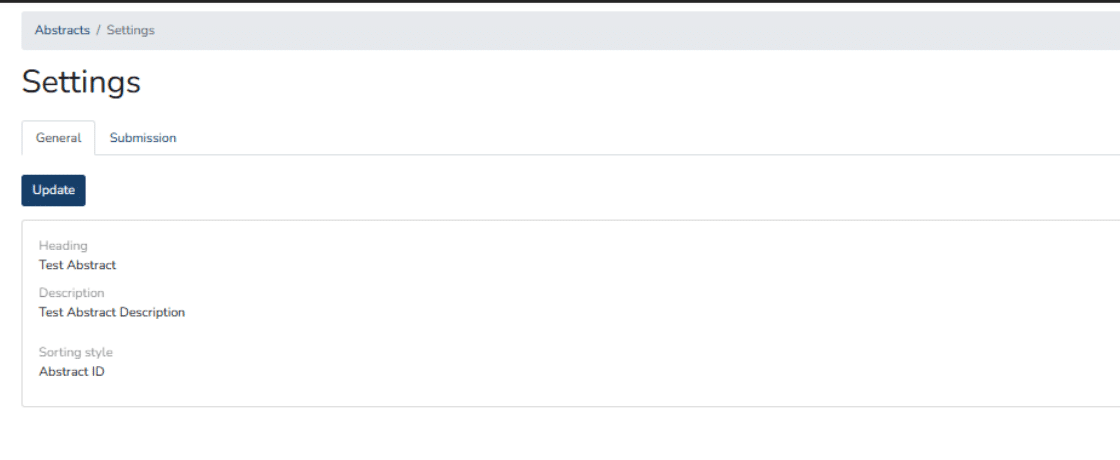
Submission, however, allows admins to open, close or schedule when users/attendees can submit their abstracts.

In our pursuit of enhancing user experience and expanding functionality, we are thrilled to unveil a new feature on Canapii called Abstracts. This latest addition empowers users to seamlessly upload and submit their research abstracts, revolutionizing how academic and professional communities engage in their events.
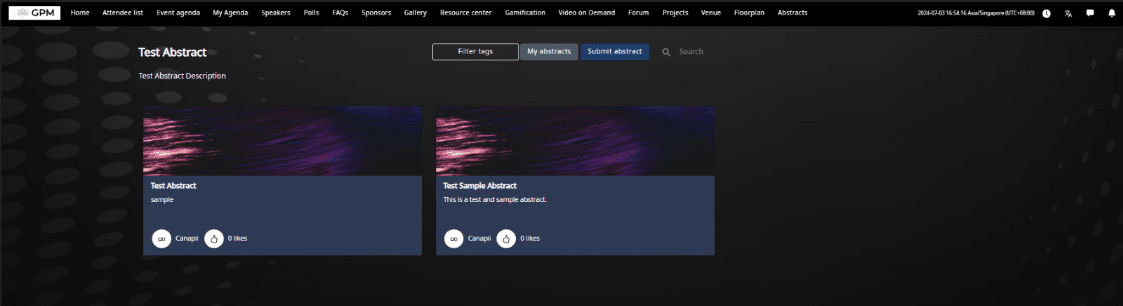
With Abstract Submission on Canapii, participants now have a straightforward avenue to showcase their research. By navigating to their event dashboard, users can effortlessly upload their abstracts, ensuring a smooth and efficient submission process. This feature is designed to save time and streamline the pathway from research creation to presentation.
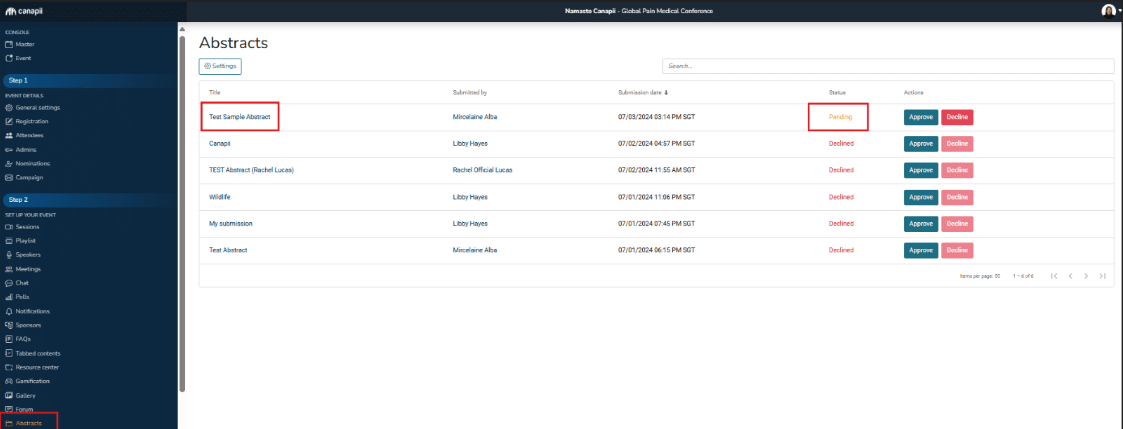
Through the admin console, organizers can review submissions promptly. This includes the pivotal ability to approve outstanding abstracts for inclusion on the event page. Furthermore, administrators can provide valuable feedback to submitters, fostering collaboration and improvement in research quality.
The Abstract Submission feature on Canapii isn’t just about efficiency; it’s about fostering a culture of collaboration and excellence. By offering a platform where researchers can share their work easily and receive constructive feedback, we aim to elevate the standards of academic and professional discourse.