
Resources
Blog
Insights on events, technology, and the future of gathering
Latest articles
Insights on events, technology, and the future of gathering
Quick answer: Canapii added five features to make online events more interactive: a green room where speakers prepare backstage before going live, custom registration attributes for personalized sign-up, email-based event gating, pop-up polls that collect responses mid-session, and a resource center for sharing videos, photos and documents in one place.
It has only been a month since we last presented our latest features, but the virtual world keeps evolving and Canapii organizers keep demanding. That has challenged us to accelerate the pace at which we introduce new innovations to our online event management platform. In this edition, we have come up with five new features and solutions to help every event organizer deliver amazing experiences. Should we get started?
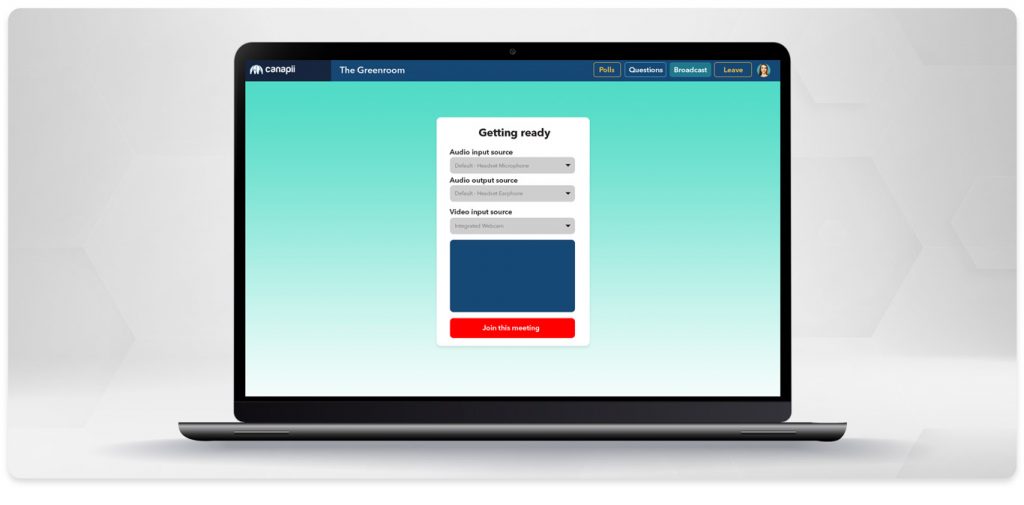
The green room is a backstage area where speakers and organizers connect and prepare before going live - one of the most exciting features to hit the virtual event space. Just as speakers at an in-person event rehearse their keynote in a back room, the green room lets you queue different speakers into the main room for a smooth, professional-looking session. Note that this feature is currently only available on professional service packages.
Registration is the first point of interaction you have with your attendees, and getting it right helps secure their attendance while collecting the data points you need to work towards your objectives. Personalized experiences start with
When hosting a virtual event, you want to know exactly who is attending. At an in-person event you control who walks in and out of your venue; in the virtual world, gating your event - or the different attendee types present at it - is more challenging. Canapii users now have the option to upload a pre-approved list of emails, or an entire email domain, that is crosschecked when registrants try to sign up. If a registrant’s email is not included under your ticket’s restrictions tab, they are barred from registering and directed to contact the event organizers.
We want your virtual event to be as interactive and engaging as possible from start to finish. Organizers can now create polls that pop up during a session and collect responses in real time, customize and brand them, and announce winners or prizes while the session is still happening. Our polls were first built to support the session from the sidelines; pop-up polling now grabs attendees’ attention and gets them participating.
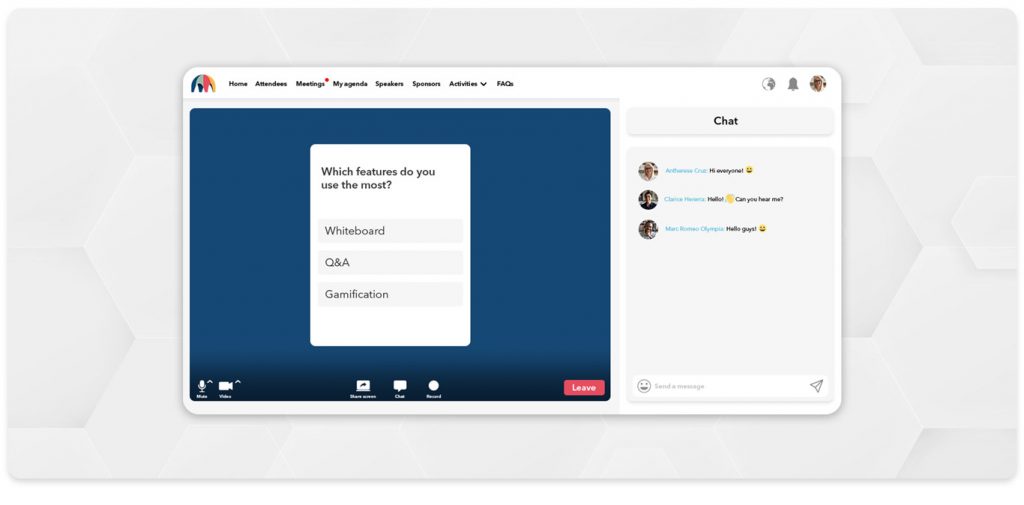
Canapii brings as many features as possible into one platform so you have everything in one place, whether you are chatting with attendees or engaging your audience with polls. The resource center follows the same idea: upload as many attachments as you need - videos, photos and other documents - so your online meeting is as complete as possible. Want more? Check out last month’s feature blog.
A backstage space where organizers and speakers connect and prepare before a session goes live. On Canapii, you can queue speakers from the green room into the main room for a smooth, professional handover.
You upload a pre-approved list of email addresses, or a whole email domain, under a ticket’s restrictions tab. Registrations are crosschecked against that list, and anyone not on it is barred from signing up and directed to the event organizers.
Yes. Organizers can trigger polls that pop up mid-session to collect responses in real time, customize and brand them, and announce winners or prizes before the session ends.
Videos, photos and other documents - as many attachments as your online meeting needs, all kept in one place alongside chat and polls.
Have questions or feedback on these features, or want to see them live at your next event? Get in touch with the Canapii team - we love hearing from the Canapii community how we can keep making our tools better.