
Resources
Blog
Insights on events, technology, and the future of gathering
Latest articles
Insights on events, technology, and the future of gathering
Quick answer: Choose onsite event management software by weighing seven factors: the features your event type needs, integrations with your existing tools, scalability, ease of use for organizers and attendees, quality of support, total cost, and independent reviews. The right platform covers registration through analytics in one place and stays simple enough that attendees never struggle to join.
Event organizers worldwide use event management software to create memorable events and boost their return on investment. Whether you are arranging product launches, conferences, trade shows, or smaller events like workshops
Onsite event management software is a comprehensive technology that covers every aspect of event planning, from registration and promotion to onsite execution and performance reporting. Instead of juggling separate tools for check-in, scheduling, and reporting, organizers manage the whole event lifecycle in one place. The benefits of event management software apply to events of every size and format.
The first factor to consider is the features you need for your event. Different tools are designed for different event types, such as trade shows, product launches, conferences, and networking events. Make sure the event platform you choose covers the features that matter most to you, such as registration, ticketing, an event app, scheduling, and analytics. Some tools also include extras like live streaming, chat, or interactive polls, which can enhance the overall experience of your event.
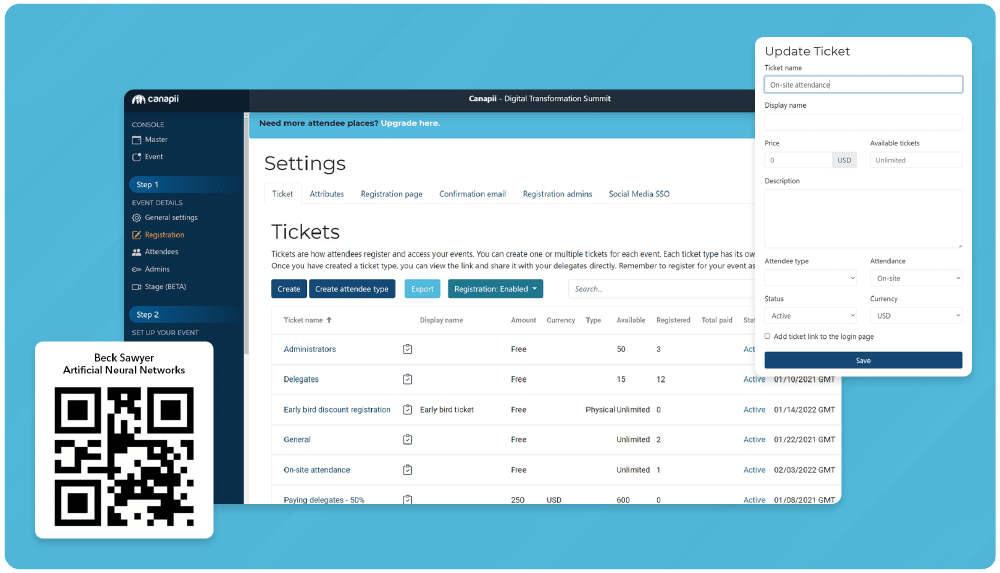
If you use other platforms like CRM, marketing automation, or social media tools, check whether the event management software you are considering can integrate with them. Good integrations keep data flowing between systems, ensure a seamless planning process, and spare your team from manual exports and duplicate entry.
When planning large events, scalability is essential. Make sure the tool you choose can handle a large number of attendees without slowing down. A tool that is not designed for large events may not cope with the increased demand, which can lead to technical issues during the event. Canapii, for example, scales to 10,000+ attendees and runs on 99.9% uptime, so capacity never becomes the bottleneck.
A platform that combines simplicity with attractive design attracts more users and keeps them motivated to use it. Judge ease of use from both sides: a user-friendly interface makes event management easier for organizers and lets attendees access and participate in the event without friction. A complicated platform causes frustration, generates support requests, and harms the overall experience of the event - so choose software people can pick up without training.

Make sure the event software you choose provides adequate support, including customer service, documentation, and tutorials. If you encounter an issue during a live event, you need access to help that can resolve it quickly. Look for a vendor that treats support as part of the product: Canapii backs every event with 24/7 support.

Cost is also an important factor. Compare the pricing of different tools and see which one fits your budget. Some tools offer a free version with limited features, while others offer a free trial before you commit to a paid plan. Make sure you understand the full costs associated with each tool - including add-ons and per-attendee fees - before you choose.
Finally, consider reviews and testimonials from other users. They give you a realistic picture of a tool’s reliability, performance, and customer support before you buy. G2 is an excellent resource for researching event management software - check out its comparison matrix to see which tools suit your needs at a glance.
Check every shortlisted tool against all seven criteria and research it thoroughly before making a purchase. Start from what you want to achieve with your event, the number of attendees, the type of event, and the features you need - then take your time and evaluate the options against that list. Finding the right tool takes some effort, but the outcome is a successful event.
Canapii is a comprehensive event management platform that covers registration, ticketing, scheduling, and analytics in one place, with easy integrations, a user-friendly interface, and 24/7 support. It has powered 2,000+ events for 300,000+ attendees across 45+ countries, for clients including HP, Lenovo, and Adobe. Check out the testimonials to discover why so many planners choose Canapii for their events.
It is technology that covers every aspect of running an in-person event - registration, ticketing, check-in, scheduling, engagement, and post-event reporting - managed from a single platform instead of separate tools.
At minimum: registration, ticketing, an event app, scheduling, and analytics. Extras like live streaming, chat, and interactive polls add engagement and matter most for hybrid or content-heavy events.
Ask vendors about attendee capacity and their uptime record, and look for proof from events of your size. Canapii, for example, scales to 10,000+ attendees and runs on 99.9% uptime.
Pricing varies widely. Some tools offer a free version with limited features, others a free trial before a paid plan. Compare the full cost - licenses, add-ons, and per-attendee fees - against your event budget.
Independent review sites like G2 collect verified user reviews and publish comparison matrices, so you can benchmark reliability, performance, and support across platforms before you buy.
See how Canapii ticks all seven boxes for your next onsite event: get a demo.