
Resources
Blog
Insights on events, technology, and the future of gathering
Latest articles
Insights on events, technology, and the future of gathering
Quick answer: Canapii introduced five new features to enhance in-person and hybrid events: a dedicated hybrid event mode, on-site registration with customizable badges, QR codes for check-in and lead retrieval, richer networking through the Canapii mobile app, and tools for managing locations, hotels and venue information - all from one event console.
In 2022, Canapii’s primary focus was adding new functionalities and features that elevate the overall experience of onsite and hybrid events. Read on to discover what each update does and how you can use it to plan and host your own events.
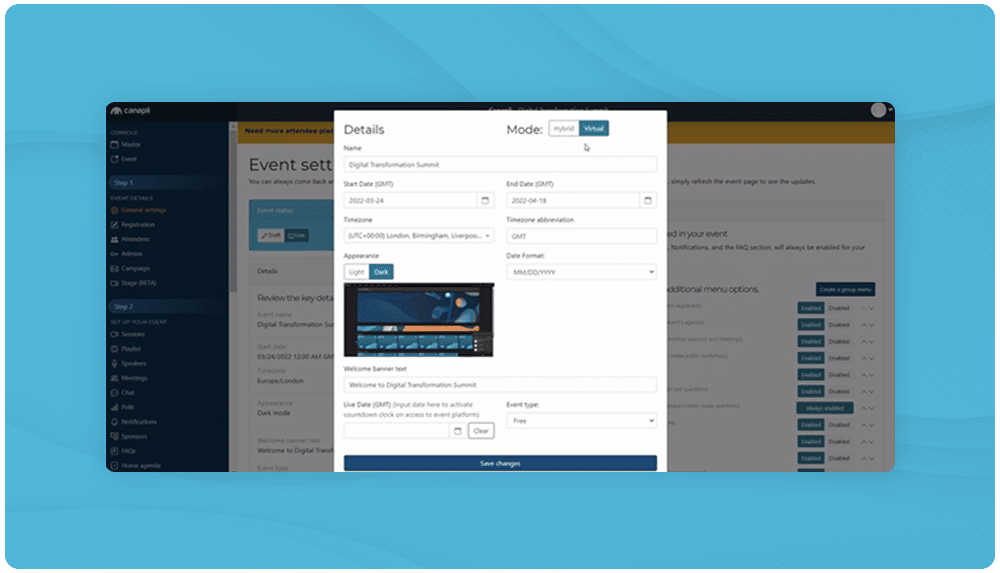
‘Find yourself a platform that will cater for all types of events, whether in person, virtual or both – hybrid.’ – Gemma Edwards, co-founder at Canapii.
With Canapii’s new hybrid mode, event organizers are prompted to choose the event type that best suits their needs and objectives. Selecting the hybrid event mode unlocks an extended list of features that prove vital in the planning and execution of onsite events:
Locations and venue information
Hotel and flight bookings
On-site registration
Badges
QR codes
In-person networking and location tracking
If you change your mind in the weeks leading up to the event, you can easily switch between virtual and hybrid settings. Canapii’s event management software gives organizers the flexibility they need to deliver a holistic experience, no matter the timeline and format of their events.
As crowds gather in person again, registration becomes more complex: organizers need to accommodate everyone’s needs while keeping the process simple and streamlined for all attendees - both online and offline.
Canapii now allows tickets to be set as in-person or virtual within the event console. Each attendee’s attendance type updates immediately once they register, based on their desired choice and profile attributes - with accessibility options available as well.
To support the onsite process, event admins can create template badges and customize them accordingly. Badges are shared with attendees after registration and can be printed at home or at the venue itself - if you have the hardware to do so, of course. You can contact us if you wish to know more about badges and onsite registration.
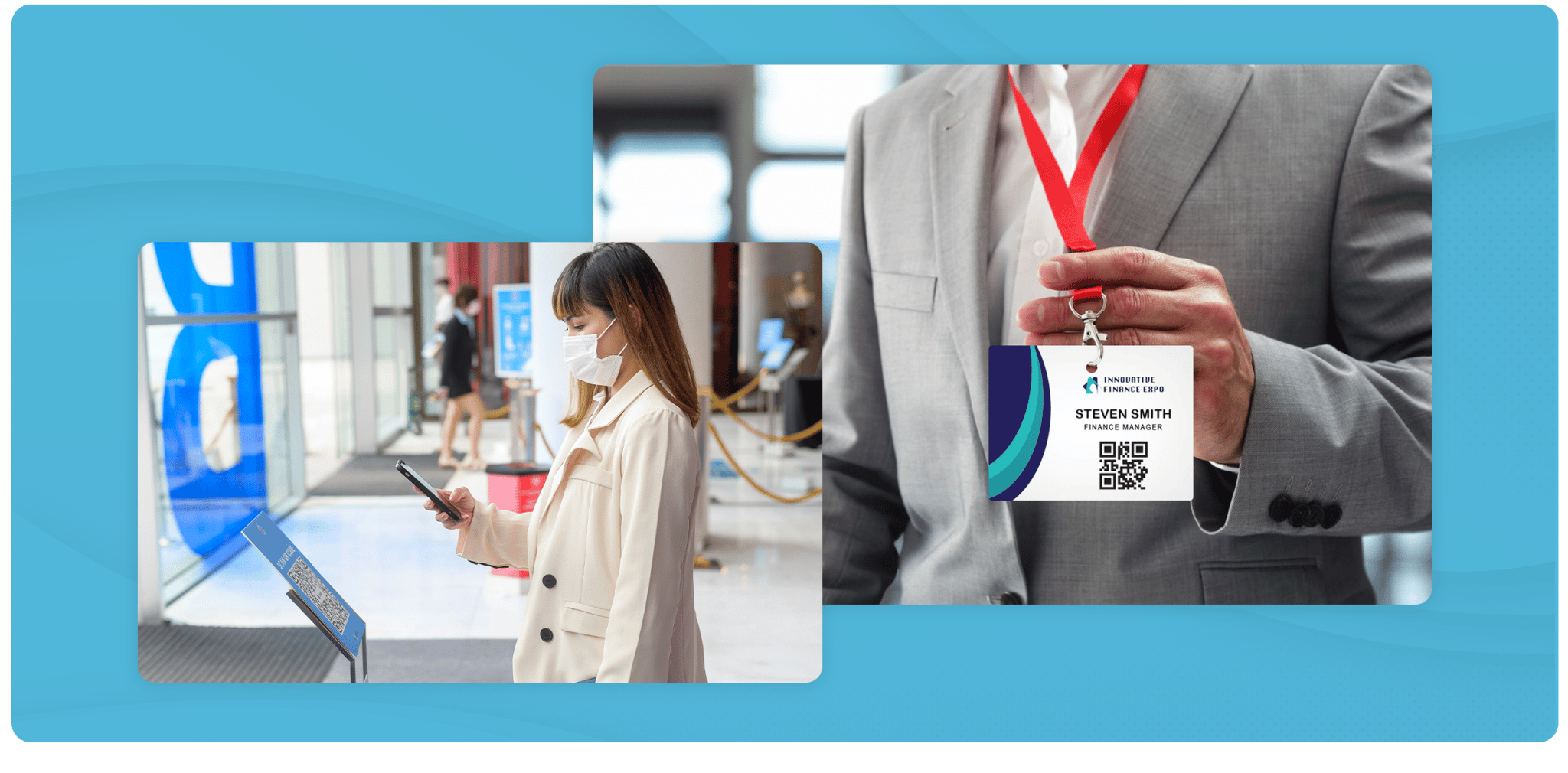
With a simple scan of a badge, attendees, exhibitors and speakers can exchange contact information, making networking and engagement seamless and enjoyable. QR scans also feed your event reports, so you can track important event data such as the most popular speakers, sponsor and exhibitor booth visits, and much more.
QR codes at onsite events can be used in several ways:
Onsite check-in: use QR codes to track whether attendees have successfully made it to the venue. Once scanned, the attendee list updates with the date and time each attendee arrived at the event.
Sessions: QR code scanning lets you and your allocated event admins see who entered and participated in specific sessions.
Lead retrieval and favorites: at the event, you can scan attendee QR codes to reveal their profile, save them to your favorites tab and reach out to them after your first interaction.
Canapii’s road map brings further enhancements to QR codes and the data retrieved from them - lead lists for organizations and sponsors, a notes section in the favorites tab, and more. Follow the change log for all the latest news and updates.
The past two years demonstrated that event organizers and technology providers could find innovative solutions to enable and promote interactions online. As face-to-face conversations return, organizers still need to remain mindful of every attendee taking part in an event: their preferences, their habits and their differing timetables.
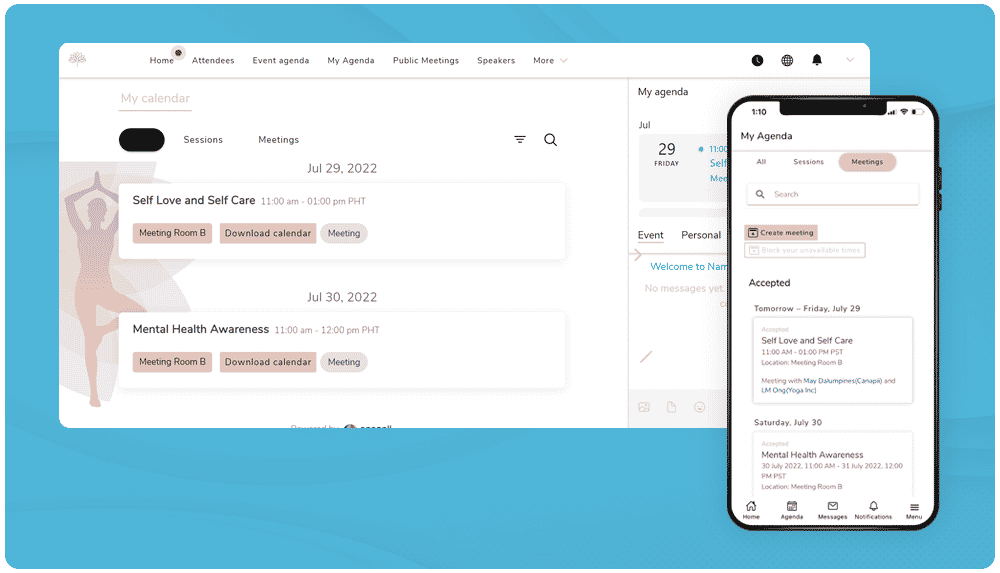
Advances in communications technology allow more efficient ways of reaching out and connecting - notably through mobile apps. When attending onsite, you can schedule meetings on the go and take part in both in-person and virtual conversations. By bridging online and offline audiences, attendees can meet, chat and interact on their own terms.
Canapii’s matchmaking features also connect the most relevant, like-minded individuals. By promoting attendee profiles and suggesting connections, attendees save precious time and find greater value in their conversations.
Not everyone will make it onsite to your event, but that should not limit you or them. By enabling the networking functionalities within your platform and event app, all attendees can communicate and set meetings with one another - including hybrid meetings, where two people join from a conference room at the venue while a third connects online.
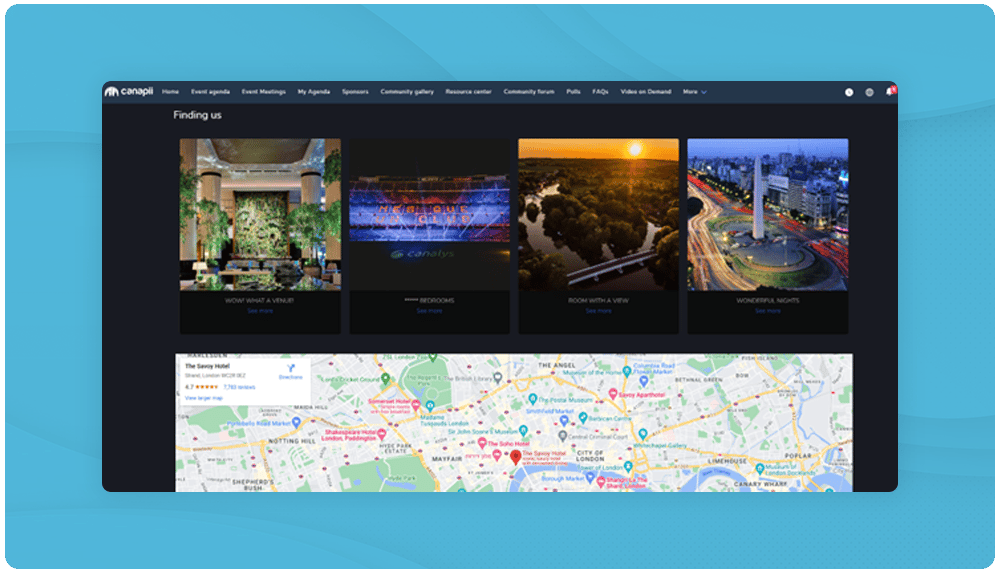
FAQs are not enough anymore. When planning an onsite or hybrid event, make sure you provide attendees with the most relevant information on flights, hotels, meeting and session locations, restaurants and more. By sharing it all in one place, like the homepage of your event, you save time answering the redundant emails that clog your inbox.
Within your event console on Canapii, you can add locations and assign them to specific meetings or sessions. Make sure you assign locations to all relevant sessions happening at the venue - you can always make last-minute changes and update locations in bulk.
If your event includes a block of hotel rooms or a recommended hotel, you can save that information in the Hotels tab. Each hotel has its own page where you add details about the booked rooms: once the hotel has been created, click ‘Add hotel room’ and input the room information, capacity and availability. Each attendee profile page also has a ‘Hotels’ tab, so you can mark which rooms are booked by which attendees. Hint: you can add a custom attribute to the on-site ticket registration page requesting attendees’ hotel information, if you’d like.
Selecting hybrid event mode unlocks an extended set of onsite features - locations and venue information, hotel and flight bookings, on-site registration, badges, QR codes, and in-person networking with location tracking - alongside Canapii’s virtual event tools.
Yes. If you change your mind in the weeks leading up to the event, you can easily switch between virtual and hybrid settings in the event console without starting over.
Yes. Event admins create customizable template badges, which are shared with attendees after registration. Attendees can print them at home, or badges can be printed at the venue if the hardware is available.
QR codes handle onsite check-in, track who entered and participated in specific sessions, and enable lead retrieval - scanning an attendee’s badge reveals their profile so you can save them to your favorites and follow up later.
Yes. With networking enabled on the platform and the Canapii mobile app, all attendees can chat and set meetings with one another - including hybrid meetings where onsite and online participants join the same conversation.
Canapii has powered 2,000+ events for 300,000+ attendees across 45+ countries, blending onsite and online experiences on one platform. Reach out to our team today to see how these features can support your next in-person or hybrid event.