
Resources
Blog
Insights on events, technology, and the future of gathering
Latest articles
Insights on events, technology, and the future of gathering
Quick answer: Canapii added five new features to make virtual events more interactive: one-click breakout rooms that split a session into up to 250 groups, virtual backgrounds for meetings, a collaborative whiteboard, a ‘meet now’ instant video calling option, and three homepage playlist layouts that control how sessions appear to attendees.
The virtual event world is constantly evolving, and since Canapii first launched we have set ourselves a challenge to keep innovating and finding new tools that make your event as interactive and impactful as possible. These five new features are designed to help boost your event - and we have kept them simple. Here is how each one works.
Canapii’s breakout room feature splits the audience of any session into up to 250 small breakout rooms, automatically and with one click. It is similar to the breakout functionality you may have used on Zoom or Teams, but Canapii steps things up a notch: you can break out your audience from a live streamed broadcast or even a video on-demand - the premium quality of a live stream with the collaboration and connection of a breakout room.
You can randomize the room allocation or pre-populate rooms in advance. Need specific polls or Q&A within a breakout room, or want to broadcast a message to your attendees? All possible - give it a go.
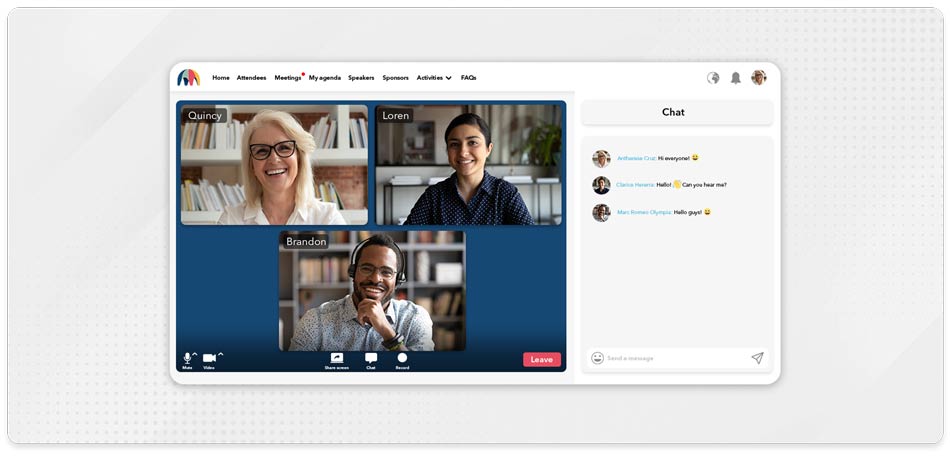
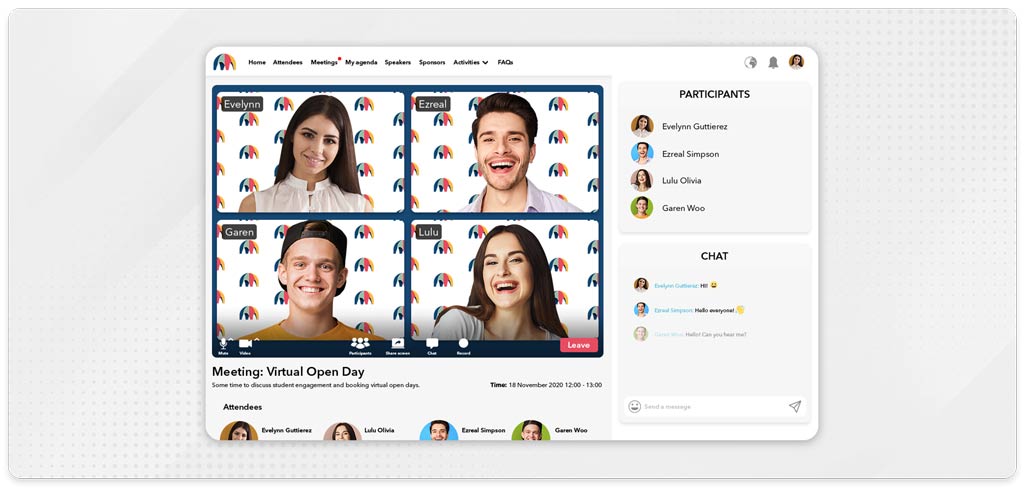
Virtual backgrounds are not new to video conferencing, but they are new to the world of event management platforms. In any meeting or breakout session you can display an image of your choice as a background, pick one from Canapii’s own list of backgrounds, or go for a simple ‘blur’ effect - ideal when you want to switch up the same old backdrop.
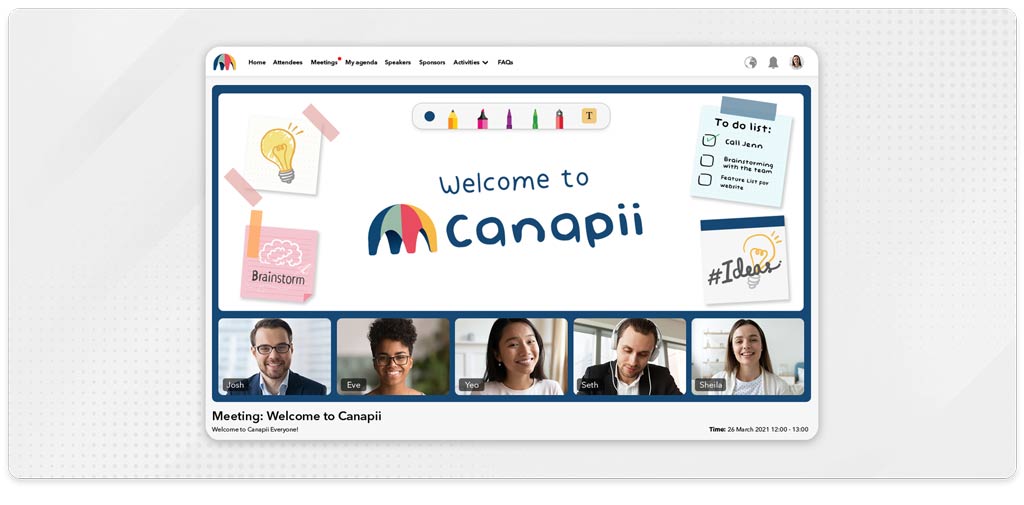
The whiteboard is an interactive tool that lets meeting and breakout participants view and annotate a shared board - ideal for organizers looking for collaboration, shared working spaces and interaction. If you like illustrating your thoughts, this is the tool for you, and your creation can be saved at any time to make sure no work is lost.
Want to up the game? You can add PDFs, documents and URLs as downloadable resources to any session, so all participants can access and collaborate on additional materials too.
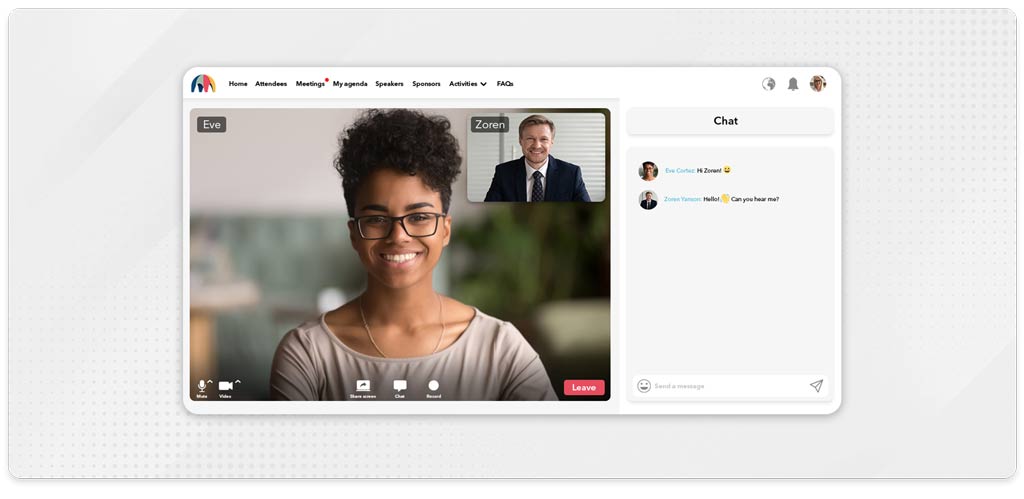
Attendees can already schedule video meetings with each other at designated times or drop an instant chat message in seconds. The ‘meet now’ feature adds a third option for the ones who simply cannot wait: connecting with others instantly on video. Calls are private and can be with single or multiple participants.
Canapii’s top tip: offering both scheduled meetings and ‘meet now’ helps attendees engage with your event, and its participants, in the way that best suits their schedule. All meetings are integrated with calendar invites and email reminders, so no one misses a chance to connect.
Canapii’s ‘playlist’ feature lets organizers build, define and visually present sessions to attendees in the way that suits their event best. Every session on Canapii has a visual box, so attendees can easily identify content - think of each movie box on Netflix, Amazon Prime or Hulu. Three playlist design options define how those session boxes appear, and you can choose the one that corresponds best to your event or mix it up by using all three.
Simple and streamlined: clicking on a box presents a drop-down with the session title, description and speaker information.
Dynamic by name, dynamic by nature: boxes pop when attendees hover over them, making your homepage feel alive.
Shout about your most popular sessions and visually show attendees which ones are the ones to watch.
Up to 250. Canapii can split the audience of any session - including a live streamed broadcast or a video on-demand - into small breakout rooms with one click, with room allocation randomized or pre-populated.
Yes. Organizers can run specific polls and Q&A inside individual breakout rooms and broadcast messages to attendees across rooms.
You can display an image of your choice, pick from Canapii’s own list of backgrounds, or apply a simple ‘blur’ effect in any meeting or breakout session.
Yes - a whiteboard can be saved at any time so no work is lost. You can also add PDFs, documents and URLs to any session as downloadable resources for all participants.
Three: ‘Blocks’, ‘Dynamic’ and ‘Popular’. You can use the layout that best matches your event identity or get creative and combine all three.
Now it’s your turn to give these features a go. Get in touch with questions or feedback - we love hearing from the Canapii community how we can keep innovating to make our tools even better.