
Resources
Blog
Insights on events, technology, and the future of gathering
Latest articles
Insights on events, technology, and the future of gathering
Quick answer: To make your webinar look good, host it on a reliable webinar platform, promote it with polished marketing materials, add informative graphics, choose a clean background, test all your tech in advance, stay on top of questions during the session, and follow up with attendees afterwards. Small production details add up to a professional impression.
A webinar can be an outstanding gateway to growth for both B2B and B2C businesses. You get a dedicated opportunity to create a professional presence, demonstrate your expertise, and establish relationships with potential customers - but that is only true if your webinar goes well.
The tips below will help your webinar look professional and well constructed, so it impresses your audience and has a positive impact on your brand.
The right tools make every job easier and more effective, and that holds true for webinars. Choose a webinar platform that is reliable and professional rather than piecing together technologies that were never designed for the job. Canapii, for example, is built specifically for hosting webinars and virtual events
A purpose-built platform also makes preparation easier, freeing you to focus on other matters like writing informative, organized content for your session.
Well-crafted, professional marketing materials create a strong first impression, because your marketing is generally the first reference to your webinar that people see. Design messaging and graphics that are skillfully created, on-brand, appealing, and informative.
With those materials in hand, take advantage of several ways to market your webinar, including direct emails, social media advertising, and publishing information on your website. Advertise well in advance - at least a few weeks - so people can set aside time in their schedules.
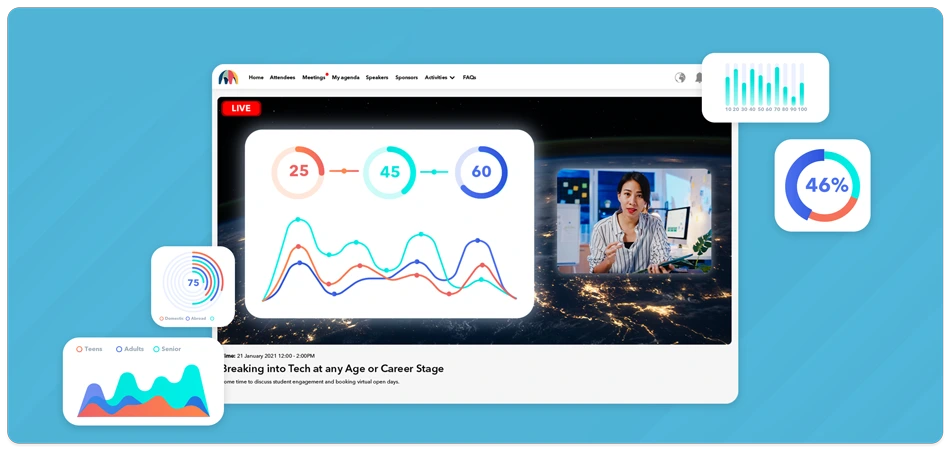
Informative graphics keep your audience engaged, so plan to feature more than “talking heads.” Incorporate visuals and demonstrations that add interest, such as charts, graphs, and step-by-step walkthroughs of how to complete certain tasks.
If you are explaining how to complete a task online or on a computer, use a webinar tool that allows screen sharing so you can show attendees exactly what steps to take.
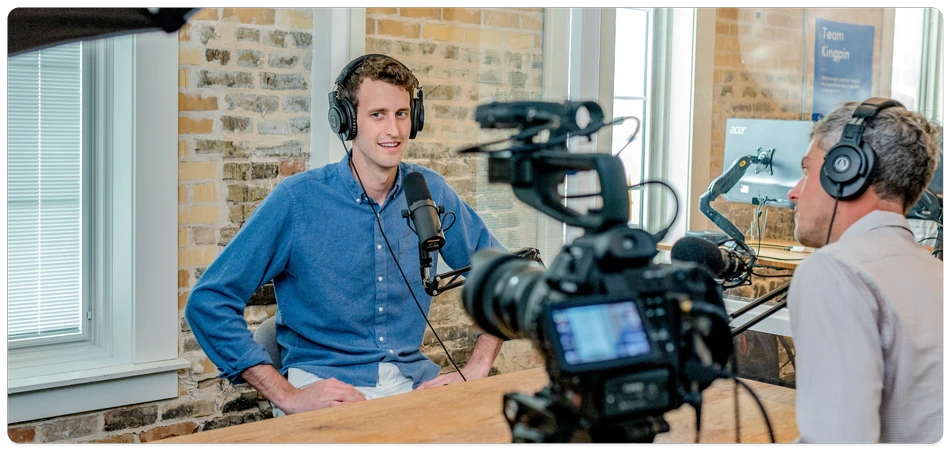
The setting where you host your webinar plays a big part in how professional it looks. Aim for a clean, non-distracting background: avoid filming in front of a wall with ornate artwork or a hallway where people will be walking around.
It is also best not to film directly in front of a window - even if it looks fine at the start, the light can change during your webinar and shine sunlight into the camera. Finally, film in a private room where there is no risk of interruptions or background noise. If you are in your office, hang a sign on your door letting everyone know you are leading a webinar.
Testing your technology in advance minimizes the technical issues that can make you look less professional. Get highly familiar with your webinar hosting platform ahead of time, and test everything you will be using - your camera, your microphone, and the audio and video quality - plus the reliability of the Wi-Fi in the room where you will host the session.
Most webinars set aside time for questions and answers at the end, but attendees may submit questions or comments that are more urgent during the presentation. Your audio might be distorted without you realizing it, or someone might want clarification on something you just said.
Make sure you have a way of keeping an eye on questions, comments, and other interactions throughout your webinar, even if you plan to save most questions for the end. That may mean having a colleague sit in and watch the chat while you present. Being on point and responsive makes your webinar look organized and professional.
Your work does not end when the webinar closes - following up properly puts forth a professional, positive image. At a minimum, send an email to each attendee thanking them for their attendance and asking for feedback. You can also share supplemental materials, such as a recording of the webinar or the charts and graphs from your presentation.
If you ran out of time for some questions, or a question deserved more detail than the live session allowed, reach out to the people who asked and give them a more thorough answer. It leaves a great impression.
A reliable platform, polished marketing, informative visuals, a clean and quiet setting, tested equipment, responsive Q&A, and prompt follow-up. Each detail is small on its own, but together they shape how your audience judges your brand.
At least a few weeks. That gives people time to set aside space in their schedules, and gives you time to promote across direct email, social media, and your website.
A clean, non-distracting background in a private room. Avoid ornate artwork, busy hallways, and filming directly in front of a window, since changing light can shine into the camera mid-session.
Both. Save most questions for a Q&A at the end, but monitor comments throughout so you can catch urgent issues - like distorted audio - and requests for clarification as they arrive.
A thank-you email asking for feedback, plus optional supplemental materials such as the session recording or the charts from your presentation. Follow up individually on questions you did not have time to answer live.
Ready to plan a webinar that looks as professional as your brand? Get in touch with Canapii to see how our webinar platform can take your next session to the next level.