
Resources
Blog
Insights on events, technology, and the future of gathering
Latest articles
Insights on events, technology, and the future of gathering
Quick answer: The best mobile event apps combine strong visual design - clear icons, event branding, photos, and personalization - with intuitive UX: simple navigation, native app performance, one-handed use, fast load times, and careful notifications. Design around your content, keep the interface clean, and make sign-in effortless so attendees actually use the app.
There’s no doubt a mobile event app can add real value to your event - before, during, and after the crowds clear. But where do you start in designing an app that people will actually use and benefit from?
As a leader in event software and technology, Canapii makes it easy to design a custom event app without the guesswork. The first five best practices below cover visual design; the rest cover the wider user experience (UX).
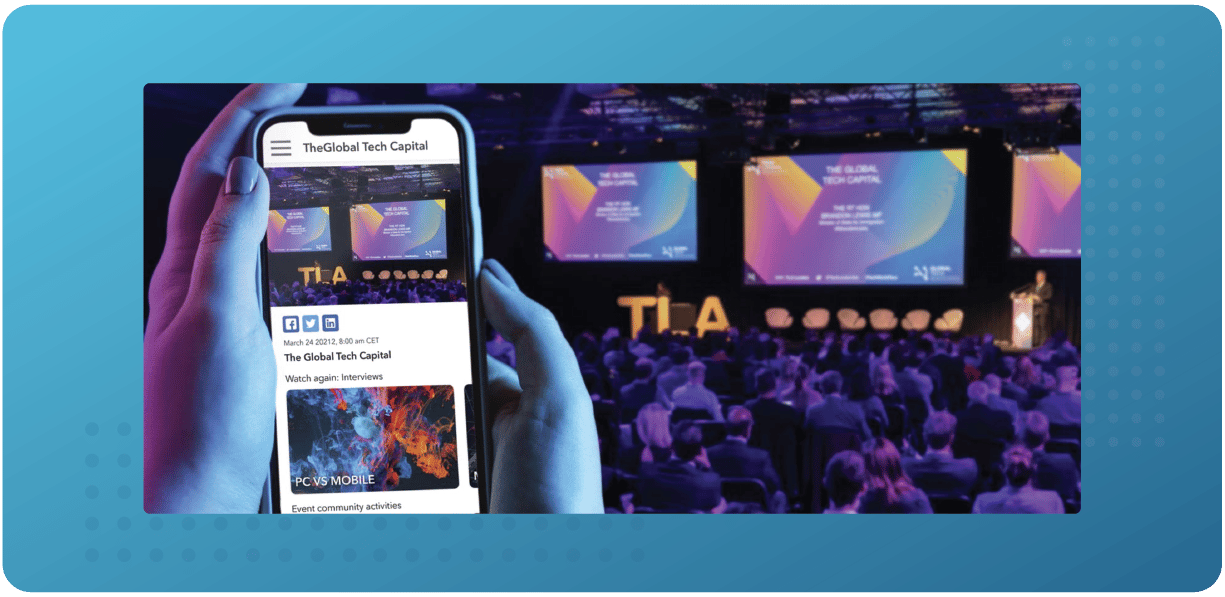
Icon placement can mean the difference between a great user experience and a frustrating one - especially at events, where users are often in a hurry to find specific information. Make icons large enough to tap accurately, and place them where users expect them.
Good icon placement makes an event app easy to navigate, especially for first-time users, and helps people reach the app’s most-used features quickly. Bad placement leads to confusion and frustration, and can cause users to give up on the app altogether.
Photos add context to your event and bring it to life, so make sure photo uploading is enabled in your app. You can share event-related photos with your guests, and attendees can add their own - giving you a complete record of the event.
To get really organized, create photo albums within the app so everyone can see shots from every angle.
Colors and themes are key parts of event branding, so choose a mobile event app that supports custom color schemes. Take every opportunity to brand your event - no area is too small to overlook, especially your event platform.
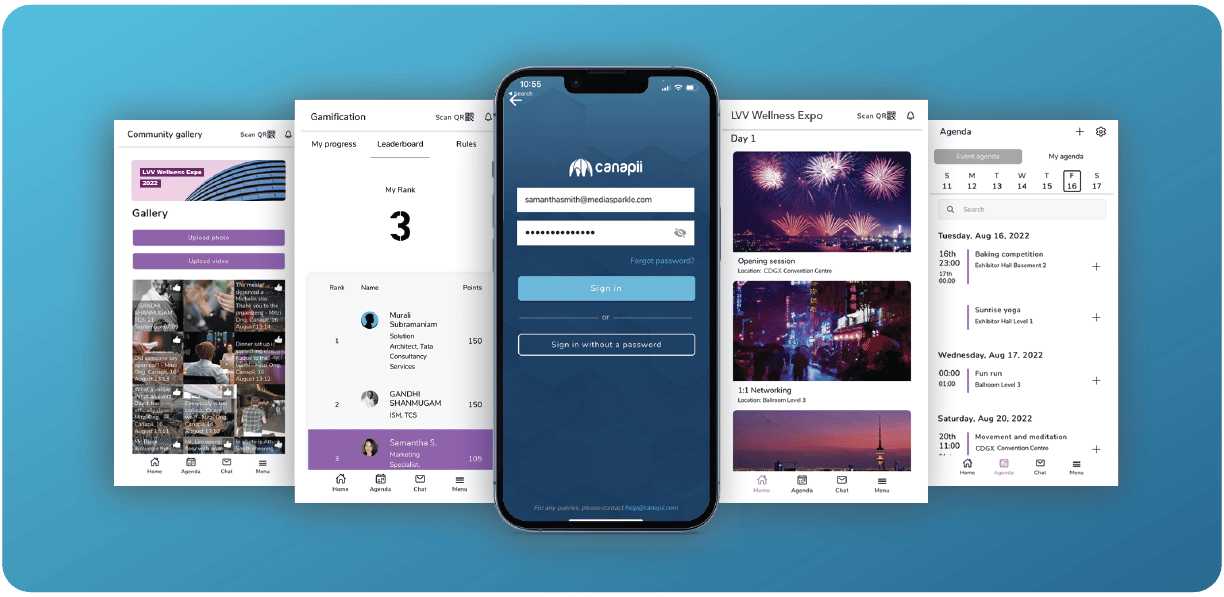
Today’s audiences expect a personalized event experience, and an event app makes it possible. Through the app, you can collect data on attendees’ interests and preferences, then use it to create a custom experience for each person.
For example, keep track of who is attending which sessions and send reminders for upcoming ones, and learn what each attendee engages with - and what they don’t - so you can meet them where they are. You can also let attendees create their own schedules and sign up for the specific alerts they care about.
Animations and micro-interactions are small but mighty details that pull your event brand and vibe together. They set the tone and mood of the event, catch your audience’s attention, and create more personalized, human connections.
They are also practical: subtle motion makes the app feel more responsive when moving from one task to the next, letting users know you haven’t left them in the lurch.
An intuitive event app is one that is easy to use and understand from the first tap, so users can navigate and find what they need without instructions. An event app needs to be intuitive in order to be successful: think clear, simple interfaces that streamline navigation and take users on a logical path from one item to the next.
A mobile event app can be built as a website experience or as a native app, where everything happens within the app ecosystem - aim for the latter, so attendees download it from their app store and use it like a regular app.
Native apps are more reliable than web-based apps: they can work offline without a network connection, they are faster and more responsive, and they can take advantage of the device’s processing power and features like the camera and GPS.
Ideally, your content is the interface - anything else is just extra noise in the eyes of your users. Only show people what they really need to use the app to its potential. A cleaner interface makes your content more impactful and increases the chances people will keep using the app.
If an event app is hard to navigate, people will be less likely to use it. Simple navigation lets attendees find the information they need quickly and easily, is less frustrating, and makes people more likely to return to the app throughout the event.

Every link in your event app should send users somewhere genuinely useful. There is nothing worse than clicking in circles, and dead-end journeys can leave attendees feeling negatively about your event.
Think carefully about how users will “travel” through the app. Make information easy to locate, and take it a step further by anticipating what they might want to know next.
Most people use their smartphones with just one hand, and at events the other hand is usually full - a drink, a plate of food, a bag or backpack. If attendees need both hands to open and navigate the app, the experience quickly becomes difficult and frustrating, so navigation should feel natural with a single thumb.
One-handed use is not only convenient; it also makes the app more accessible for people with disabilities. Building for it makes your event app more inclusive and user-friendly.
A fast app provides a better user experience overall and helps ensure your event runs smoothly. A slow app frustrates users and makes them less likely to open it again - and at a live event, every second counts.
Notifications help attendees get more from the event and never miss a minute of fun - but only if you are mindful about what you send and how often. Too many notifications train attendees to ignore them, so save push messages for what genuinely matters.
Earn trust with your app from the very onset by sharing what data you collect and how you plan to use it. Canapii, for example, is ISO 27001 certified and GDPR compliant, so attendee data is protected to a recognized standard.
If your app requires a password, keep users logged in as much as possible and offer a show/hide password option - typing tiny passwords on a tiny screen is cumbersome, especially if users end up requesting a new one. Finally, ask repeat users to rate the app when they are not mid-task; good ratings and reviews encourage more people to download and use it.
A good mobile event app pairs clear visual design - well-placed icons, event branding, and photos - with intuitive UX: simple navigation, fast performance, one-handed use, and notifications that respect attendees’ attention. The content should feel like the interface, with everything else kept to a minimum.
Native. A native app downloaded from the app store can work offline, runs faster and more responsively, and can use device features like the camera and GPS - which makes it far more reliable than a web-based experience at a busy venue.
By collecting data on attendees’ interests and activity, the app can suggest relevant sessions, send tailored reminders, and let each attendee build their own agenda and choose which alerts they receive.
Only as many as genuinely help. Notifications keep attendees from missing key moments, but sending too many trains people to ignore them - fewer, more relevant messages work better.
No. Platforms like Canapii provide a ready-made, customizable event app - proven across 2,000+ events and 300,000+ attendees - so you can apply these design best practices without developing an app yourself.
Canapii’s event technology is built for user-friendliness without reinventing the wheel - take advantage of done-for-you features that are easy to customize for your event. Schedule a demo to see the mobile event app up close.